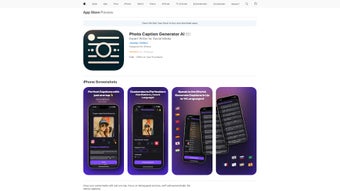

Download PhotoCaption AI – AI‑Powered Caption Generator for Social Media
Overview
PhotoCaption AI is a web‑based AI writing assistant that helps you craft compelling, platform‑specific captions for any photo you share online. Powered by the latest GPT‑4 Vision engine, the service analyzes visual content, extracts contextual cues, and rewrites them into engaging text in the tone you choose. Whether you’re posting on Instagram, Facebook, Twitter, or a niche network, PhotoCaption AI delivers captions that match character limits, hashtag trends, and cultural nuances. The platform supports up to 14 languages, making it a truly global tool for influencers, marketers, and everyday users who want to boost interaction without spending hours brainstorming.
The interface is clean and browser‑based, which means no bulky downloads or installations are required. Simply drag‑and‑drop an image, select your preferred style—be it witty, professional, inspirational, or casual—and let the AI generate multiple caption options within seconds. Each output can be copied to your clipboard or shared directly to your chosen social channel through the built‑in sharing button, streamlining the posting workflow and reducing the mental load of content creation.
Beyond caption generation, PhotoCaption AI also suggests relevant emojis, trending hashtags, and even optimal posting times based on platform analytics. This holistic approach turns a single image into a fully optimized social media asset, helping you increase likes, comments, and follower growth while maintaining a consistent brand voice across languages and regions.
Key Features & Capabilities
- AI‑Driven Vision Analysis: Utilizes GPT‑4 Vision to understand image composition, subjects, and mood.
- Multi‑Style Caption Library: Choose from witty, professional, inspirational, casual, or brand‑specific tones.
- 14‑Language Support: Generate captions in English, Spanish, French, German, Japanese, Korean, Portuguese, Italian, Dutch, Russian, Arabic, Turkish, Hindi, and Mandarin.
- Platform Optimization: Tailors character count, hashtag density, and emoji usage for Instagram, Facebook, Twitter, LinkedIn, and TikTok.
- One‑Click Sharing: Directly publish or copy captions to clipboard for seamless workflow.
- Hashtag & Emoji Recommendations: Suggests trending tags and emojis that complement the visual content.
- Posting Time Insights: AI‑based suggestions for optimal posting windows based on audience activity.
- Secure Cloud Processing: All image analysis occurs on encrypted servers; no data is stored after the session.
- Free Tier & Premium Upgrade: Generate up to five captions per day for free; paid plans unlock unlimited generation, batch uploads, and brand‑style presets.
These features collectively make PhotoCaption AI a robust, all‑in‑one solution for anyone who wants to keep their social feed fresh and engaging. The AI’s ability to adapt tone and language on the fly eliminates the need for separate translation tools or copywriters, while the platform‑specific optimizations ensure your captions meet each network’s unique constraints. Moreover, the inclusion of posting‑time insights turns the tool from a simple caption generator into a strategic growth assistant.
Because the service runs entirely in the browser, it works on any device that can access the internet—desktop, laptop, tablet, or smartphone—without the need for separate OS installations. This cross‑device flexibility is especially valuable for creators who manage multiple accounts on the go.
Installation, Usage Instructions & Compatibility
Getting Started – No Download Required
PhotoCaption AI is a web‑based SaaS platform, which means there is no traditional installation process. To begin, open your preferred browser (Chrome, Edge, Firefox, Safari) and navigate to photocaption.ai. The site automatically detects your device and serves a responsive UI optimized for both desktop and mobile screens.
Once on the homepage, click the “Start Captioning” button. You will be prompted to either drag‑and‑drop an image or use the “Upload” dialog to select a photo from your device. After the image loads, a side panel appears where you can:
- Select the desired language from a dropdown list.
- Choose a tone/style (e.g., witty, professional, inspirational).
- Pick the target platform to automatically apply character limits and hashtag rules.
Press “Generate Captions”. Within 3–5 seconds, the AI presents three to five caption options. Hover over each suggestion to see a quick preview of how it would appear on the chosen platform. Click “Copy” to send the text to your clipboard or “Share” to post directly to Instagram, Facebook, or Twitter after authorizing the respective accounts.
Compatibility & System Requirements
PhotoCaption AI works on any modern operating system that supports a recent web browser, including:
- Windows 10, 11
- macOS Monterey, Ventura, and later
- Linux distributions with up‑to‑date browsers
- iOS 13+ (Safari, Chrome)
- Android 9+ (Chrome, Firefox)
The only technical requirement is an active internet connection and a browser that supports WebGL and the latest JavaScript standards. Because all processing happens in the cloud, your device’s hardware specifications have minimal impact on performance, making PhotoCaption AI an ideal solution for both high‑end workstations and modest smartphones.
Security & Privacy Considerations
All image uploads are encrypted using TLS 1.3 during transit, and the service automatically deletes the file from its servers within 30 minutes of caption generation. No personal data is stored beyond the session unless you opt into a premium account, which offers a secure vault for saved brand presets. The privacy policy is transparent about data handling, complying with GDPR and CCPA standards.
Pros, Cons, FAQ & Expert Review
Pros & Cons
- Pros:
- Instant, high‑quality captions in multiple languages.
- Platform‑specific optimization saves time and avoids manual edits.
- No software download; works on any device with a browser.
- Free tier available for casual users.
- Secure cloud processing with automatic data deletion.
- Cons:
- Limited to 5 free captions per day; heavy users need a paid plan.
- Reliance on internet connection; offline use not possible.
- Advanced brand‑style presets are locked behind premium subscription.
Frequently Asked Questions
Can I use PhotoCaption AI for commercial purposes?
Yes. The premium subscription includes a commercial license that allows agencies and businesses to generate unlimited captions for client accounts.
Is there a limit on the number of languages per session?
No. All 14 supported languages are available in every session; you can switch languages between caption generations without restriction.
How does the AI handle copyrighted images?
PhotoCaption AI processes images solely for caption generation and does not store them. However, you should only upload images you own or have permission to use, as the service is not a legal clearance tool.
Can I integrate PhotoCaption AI with my social‑media scheduling tool?
Yes. The platform offers an API for premium users, enabling seamless integration with tools like Buffer, Hootsuite, or custom workflow scripts.
What payment methods are accepted for the premium plan?
Credit cards (Visa, MasterCard, American Express), PayPal, and major regional payment gateways are accepted.
Expert Review
PhotoCaption AI delivers on its promise of fast, contextually aware captions while supporting a surprisingly wide range of languages and tones. The UI feels intuitive, and the AI’s ability to tailor text for each social platform eliminates the tedious copy‑edit step that most creators dread. Although the free tier feels a bit restrictive for power users, the pricing is competitive compared with dedicated copywriting services. Security‑first architecture and automatic data purging provide peace of mind for brands concerned about image confidentiality. Overall, it’s a solid addition to any influencer’s toolkit, especially for those managing multilingual audiences.
Conclusion & Call to Action
In a landscape where visual content reigns supreme, the missing link has often been the perfect caption. PhotoCaption AI bridges that gap by leveraging cutting‑edge GPT‑4 Vision technology to turn any photo into a high‑engagement post, all while respecting language diversity and platform nuances. Whether you’re a solo creator looking for a free daily boost or a marketing team needing bulk caption generation, the tool scales to meet those demands.
Ready to transform your social media workflow? Visit PhotoCaption AI now, sign up for the free plan, and experience instant caption generation in seconds. Upgrade to the premium tier when you’re ready for unlimited usage, API access, and custom brand presets. Elevate your posts, grow your audience, and stay ahead of the algorithm with AI‑crafted captions that speak to every follower.



.png)



